

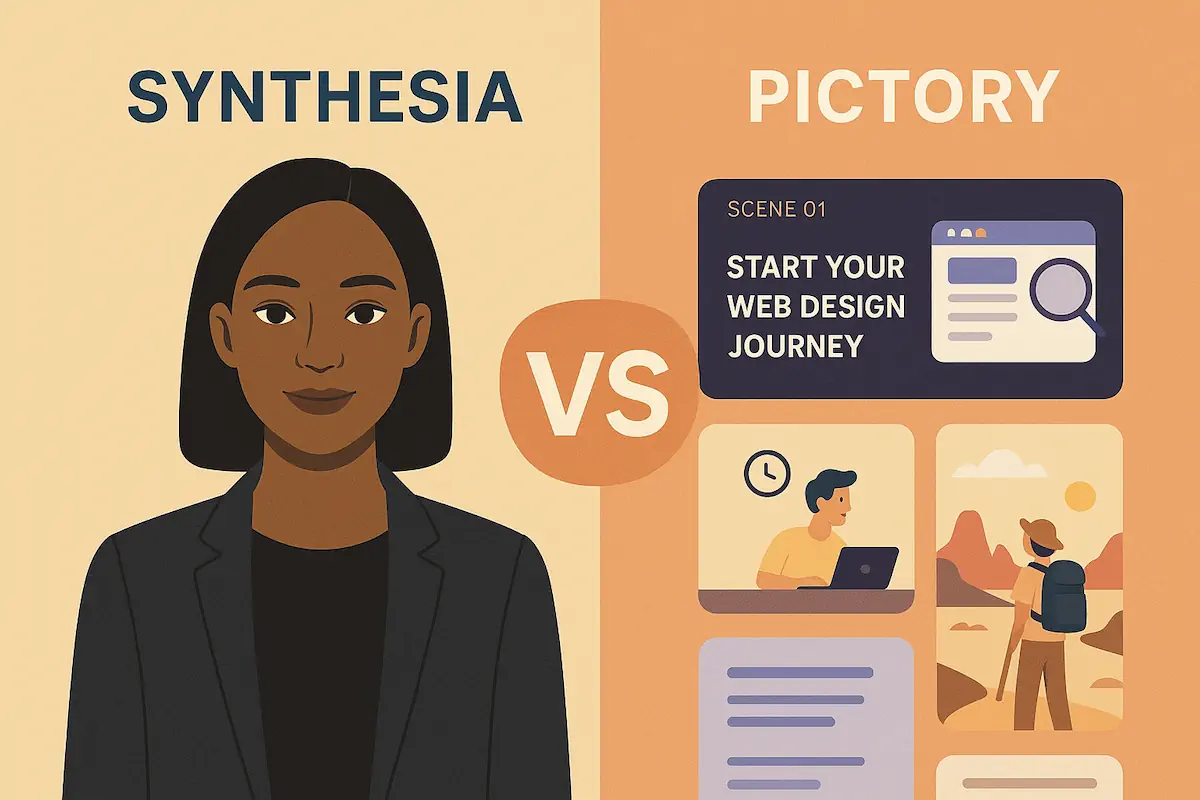
Synthesia vs Pictory: Which AI Video Generator Should You Use?
Synthesia and Pictory both turn scripts into videos, but they solve different problems. This comparison breaks down avatars vs script-to-video, pricing, workflows, and which tool is better for your specific use case.
This article may contain affiliate links. Using them never costs you extra.
Quick Verdict
Short version: Synthesia is better when you want polished, avatar-led training and explainer videos. Pictory is better when you want to turn existing scripts, blogs, or talks into captioned social clips and YouTube-ready edits.
- Choose Synthesia if: You need on-brand avatars delivering training, onboarding, or explainers with a presenter on screen.
- Choose Pictory if: You want to repurpose text or long-form content into short social clips, B-roll-based videos, and captioned highlight reels.
- Use both if: You run a content operation where some videos should be avatar-led and others should be fast-cut social repurposes.
Synthesia vs Pictory: Snapshot Comparison
| Area | Synthesia | Pictory |
|---|---|---|
| Best For | Training, explainers, onboarding, corporate comms | Social clips, YouTube edits, blog/script → video |
| Core Visual Style | Realistic AI avatars delivering lines on camera | B-roll, stock, and text overlays driven by your script |
| Learning Curve | Simple once templates are set; feels like slide editing | Simple for non-editors; focus on scenes and captions |
| Branding Control | Strong: branded templates, avatar selection, consistent layouts | Good: brand presets, fonts, colors, and logo overlays |
| Ideal Buyer | L&D teams, SaaS/product marketing, training orgs | Content marketers, solo creators, social video teams |
Synthesia Overview: Avatar-Led Training & Explainers
Synthesia is built around realistic AI avatars reading your script. Instead of hiring presenters or booking a studio, you pick an avatar, paste your text, and generate talking-head style videos in minutes.
Where Synthesia Works Best
- Training and e-learning: Step-by-step lessons with a consistent presenter.
- Product explainers: On-screen host walking through features, benefits, or workflows.
- Internal comms: Updates from leadership delivered as short, professional videos.
- Localized content: Reuse the same structure and visuals across multiple languages.
Strengths of Synthesia
- High-quality avatars that look polished in most corporate and professional contexts.
- Template-driven workflow that scales well across teams and recurring video types.
- Strong fit for brands that want consistency more than cinematic complexity.
Where Synthesia Is Less Ideal
- Doesn’t focus on turning long-form content into dozens of social clips.
- Less about montage-style B-roll storytelling, more about presenter-on-screen.
- Not meant to replace a full NLE for detailed editing or custom motion graphics.
Pictory Overview: Script & Blog-to-Video at Scale
Pictory leans hard into content repurposing. Instead of building avatar-led training modules, it turns scripts, blogs, and long-form recordings into highlight-driven, captioned videos.
Where Pictory Works Best
- Blog-to-video: Turn articles into short explainers with stock footage and text overlays.
- Social media clips: Cut long podcasts or webinars into vertical, captioned snippets.
- Top-of-funnel video: Quick awareness content for YouTube, LinkedIn, TikTok, or Reels.
Strengths of Pictory
- Fast scene generation based on your text or transcript.
- Built-in captions and social-friendly aspect ratios.
- Excellent for creators who already have written or recorded content.
Where Pictory Is Less Ideal
- Not avatar-first; if you want a presenter on camera, Synthesia or another avatar tool is better.
- Less suited to deep training programs that need a consistent on-screen host.
- Still not a substitute for full DAWs or NLEs for complex edits.
Key Differences: Synthesia vs Pictory
1. Primary Use Cases
Synthesia is strongest when your output looks like “talking to a person on screen.” Think training, onboarding, internal explainers, or product tours with a host.
Pictory is strongest when your output looks like “fast-cut social or YouTube” driven by text, captions, and B-roll, not a virtual presenter.
2. Visual Style & Avatars
- Synthesia: Dozens of avatars, with controlled gestures and facial expressions that work well for professional contexts.
- Pictory: Focuses on stock, B-roll, and on-screen text instead of photorealistic presenters.
3. Script → Video Workflow
- Synthesia: Feels like building slides – you add scenes, place your avatar, and assign lines of script to each scene.
- Pictory: Feels like building highlight reels – you import a script or transcript and let the tool map text to visuals and captions.
4. Branding & Templates
Both tools support fonts, colors, and logos, but the emphasis is different:
- Synthesia: Strong for consistent, branded training templates that can be reused by non-editors.
- Pictory: Strong for fast branded overlays on social clips, with caption styles and layouts tuned for feed consumption.
5. Captions, Localization & Accessibility
- Synthesia: Best when you need multiple language versions of a training video with matching visuals.
- Pictory: Best when you want every video to be captioned and mobile-friendly by default.
6. Pricing & Scaling Considerations
Both use tiered plans that change over time, but in practice:
- Synthesia: Feels like a “training / corporate video” expense – fewer, higher-impact videos per month.
- Pictory: Feels like a “content repurposing” expense – many more short videos and clips per month.
For current plan details, check their pricing pages directly from the trial links below.
Which Should You Choose?
If You’re an Online Course Creator or Trainer
Pick Synthesia as your primary tool. You’ll get consistent on-screen presenters, reusable templates, and easy localization for different regions and languages.
If You’re a Content Marketer or Solo Creator
Pick Pictory first. Turning blogs, scripts, and long-form recordings into short, captioned clips is exactly what it’s best at.
If You Run a Brand With Both Training & Marketing Needs
There’s a strong case for using both:
- Use Synthesia for internal training, customer education, and product tours.
- Use Pictory to spin your scripts and recordings into social material and top-of-funnel awareness content.
Try Synthesia and Pictory for Yourself
Create a short test project in each tool and see which workflow feels more natural for your team.
Where They Fit in an AI Video Stack
Both tools sit inside a broader AI video workflow. If you’re just starting out, it can help to map your stack:
- Use an AI video generator like Synthesia or Pictory to create the core footage.
- Optionally refine in a traditional editor (CapCut, DaVinci, Premiere) for fine-tuned cuts or effects.
- Use scheduling and analytics tools to publish and measure performance across platforms.
For a bigger-picture view of where these tools sit, check the Best AI Video Tools guide and the overview in What Is an AI Video Generator and How Does It Work?.
Editorial Note: This comparison reflects AI Video Gear’s independent testing and workflow-based analysis. We may earn a commission when you purchase through our affiliate links, at no additional cost to you.
Frequently Asked Questions
Is Synthesia or Pictory better for YouTube?
For talking-head explainers and tutorials, Synthesia usually wins. For montage-style videos made from scripts, blogs, or clips, Pictory is often faster and more flexible.
Can I replace editing software with Synthesia or Pictory?
Not completely. Both tools reduce how much time you spend editing, but complex projects still benefit from a traditional editor like DaVinci, Premiere, or CapCut for precise cuts and effects.
Do I need on-camera talent for either tool?
No. Both tools can produce videos without live filming. Synthesia uses AI avatars instead of human presenters, while Pictory relies on B-roll, stock media, and text overlays.